Questions?
We have answers!
Do you have questions that aren’t answered here? Contact us at support@openbadges.education.

General Questions about OEB
What are Open Educational Badges (OEB)?
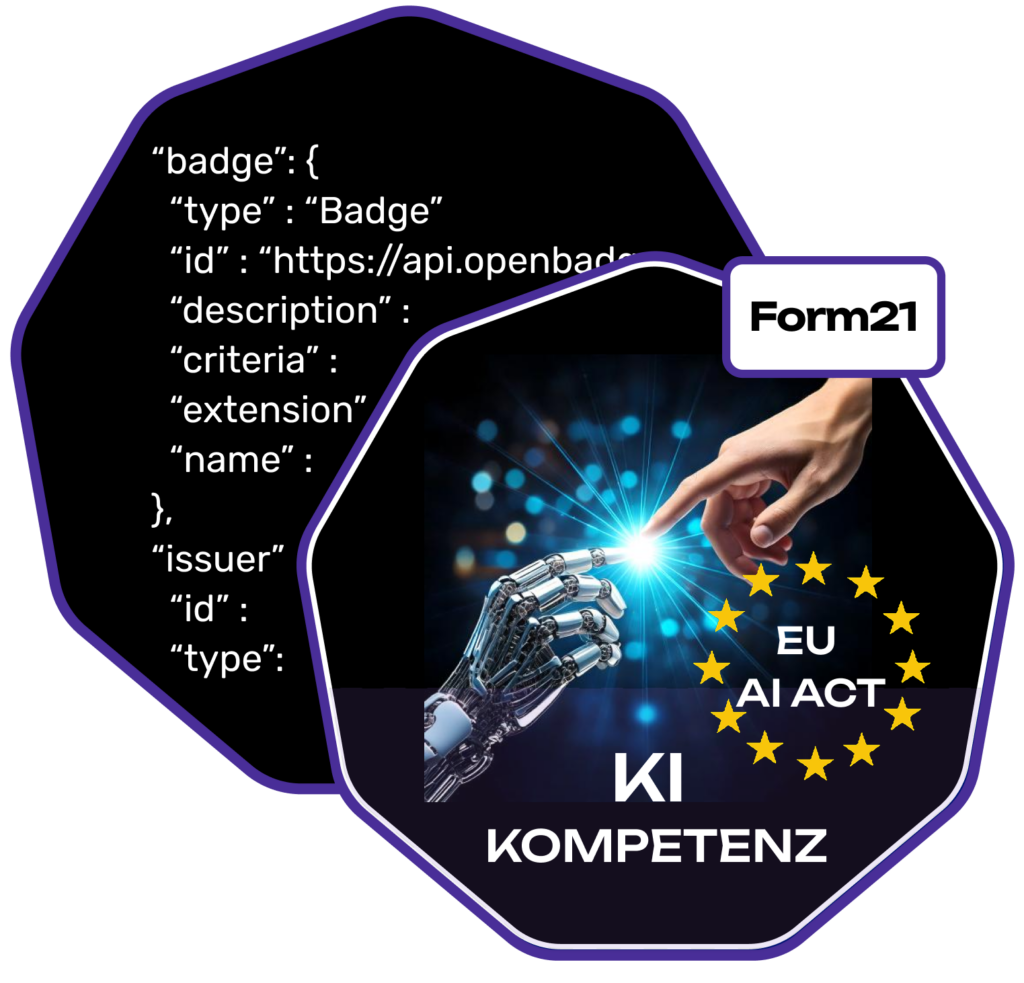
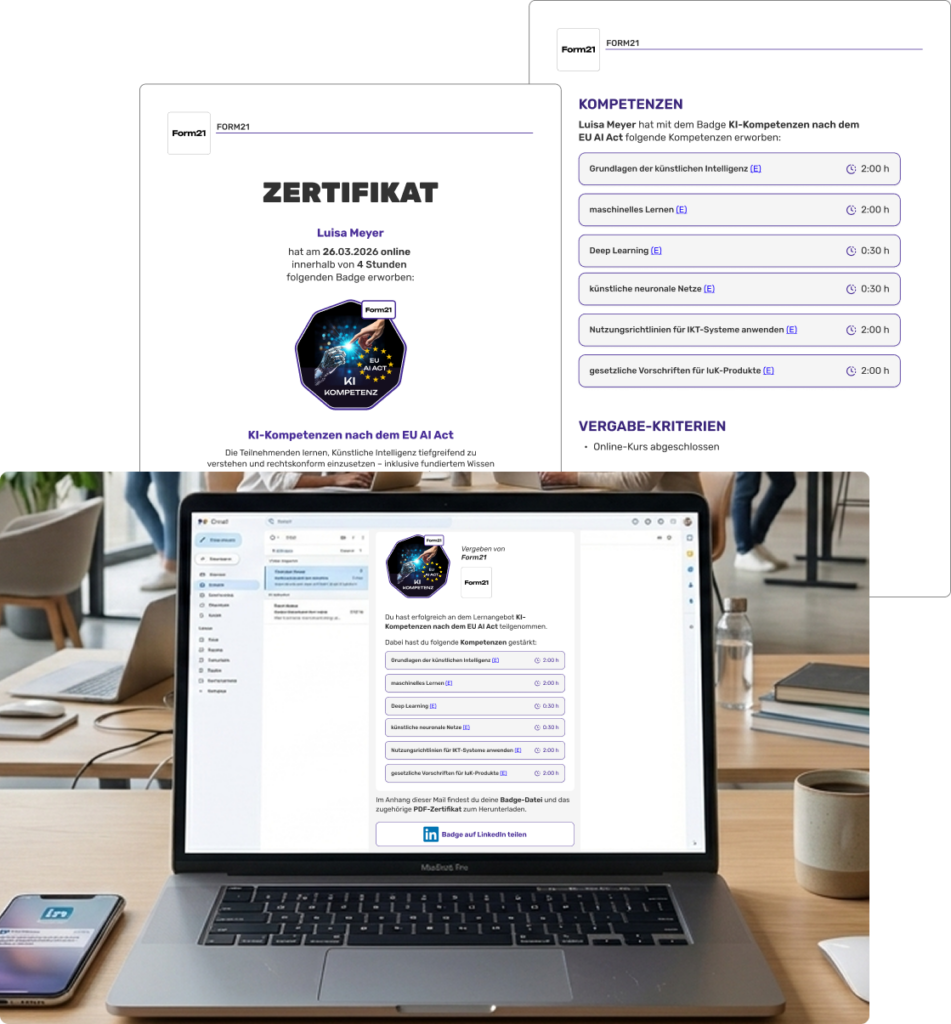
Open Educational Badges (OEB) are digital certificates that make learning experiences and skill acquisition visible in a standardized way. Learners receive their badges via email. OEB are presented as PNG files (graphic files) containing individual metadata. This data describes who received the badge, who issued it, and which competencies were strengthened or newly acquired. Additionally, every badge email includes a PDF certificate that also reflects the learning success.
What is the advantage over paper certificates?
OEB are tamper-proof and can easily be shared on social networks (such as LinkedIn). Due to their technical (Open Badge Standard) and content-related (ESCO) standardization, OEB are compatible and comparable. This promotes cross-institutional learning and builds bridges between formal and non-formal educational institutions.
What is the ESCO Competency Standard?
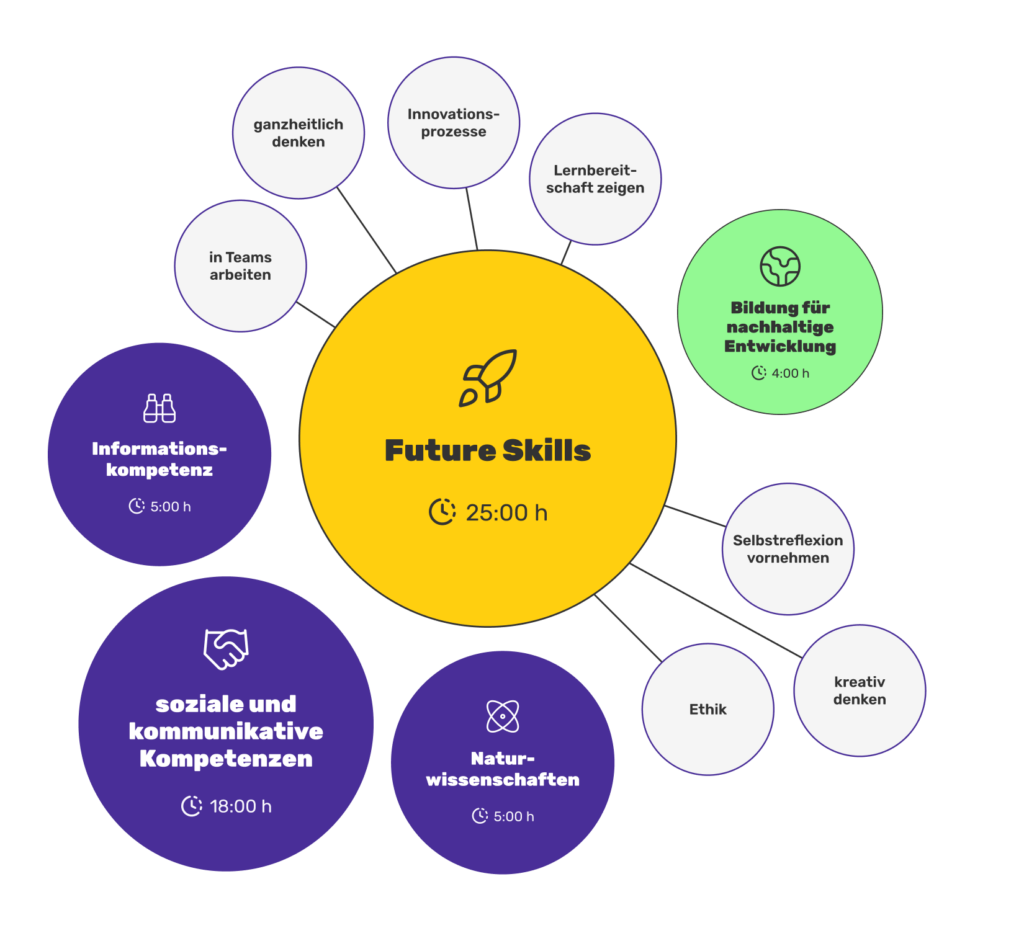
ESCO (European Skills, Competences, Qualifications and Occupations) is the EU’s competency taxonomy and contains 14,000 skills in 28 languages. When creating badges, our AI assistant suggests suitable ESCO competencies for your learning unit. This ensures our badges all “speak the same language,” making them comparable and compatible—regardless of where they were acquired: ESCO-Article on OEB
Employers and recruiting platforms can automatically read these competencies and match them with current job profiles.
Other competency frameworks can be “translated” into ESCO; we already demonstrate this in the learners’ competency profiles for Future Skills and ESD (Education for Sustainable Development).
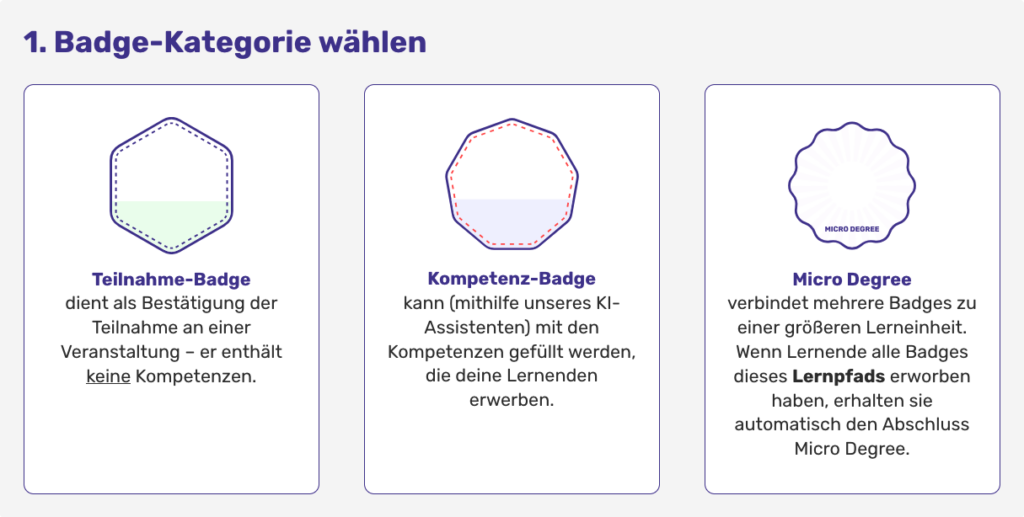
What types of badges are available?
- Participation Badges: Serve as proof of attendance for an event or learning unit.
- Competency Badges: Specifically certify which competencies were strengthened or newly acquired and how much time was invested.
- Micro-Degrees (Learning Path): Several badges (at least two) can be combined into a learning path for a larger learning unit. Learners automatically receive the “Micro-Degree” completion badge once they have acquired all badges included in the path.
Institutions: Creating Badges & Role-Permission System
How can we register as an institution?
- Step 1: Personal Account. Create your own personal account by selecting “Register” in the main menu.
- Step 2: Create Institution. Click on “My Institutions” in the main menu and then select “Create New Institution.”
- Step 3: Invite Team. You can add other people as members (they must create a personal account on OEB beforehand).
What roles are available within an institution?
- Owner: Access to all functions including member management, editing institution details, and creating, issuing, or deleting badges.
- Editor: Can create, issue, and delete badges.
- Employee: Can issue already created badges directly to email addresses or via QR code requests.
For networks, the existing roles are retained.
How do institutions create badges?
a) Participation and Competency Badges
- Step 1: Select category (Participation or Competency).
- Step 2: Enter title, duration, description, and select an image.
- Step 3 (for Competency Badges): Use the AI assistant to assign suitable ESCO competencies and define time shares (Note: Times are independent of the total course duration). Add additional custom competencies manually if needed.
- Step 4: Add tags for better discoverability.
- Step 5: Define optional details (copy status, issuance criteria, link to the course, validity).
b) Micro-Degrees (Learning Paths)
- Step 1: Select the category “Micro-Degree (Learning Path).”
- Step 2: Enter title, description, and select an image.
- Step 3: Select the badges that form the learning path. Optional: Choose a flexible learning path (how many badges must be acquired for completion?).
- Step 4: Determine the order of the badges.
- Step 5: Add tags and, if applicable, activate the learning path directly.
How do institutions issue badges?
Issuance is handled via the learner’s email address (identifier). There are two ways:
- PUSH (Direct via Email): The institution issues badges directly via the platform to individual email addresses or via CSV lists.
- PULL (via QR Code): Learners request the badge themselves via QR code (e.g., at the end of a course) and enter their own email address. The institution sees the request on OEB and can issue the badge with one click.
Usage Packages and Features
Can I use OEB for free?
Absolutely! Every newly created institution automatically receives the Free package, allowing for the creation of 5 badges and the issuance of 100 badges per year.
Are there special conditions for schools and non-profit organizations?
Yes. We support state schools and non-profit organizations with the Impact-Plus-Plan.
How do the usage packages differ?
Packages differ in quotas for creating and issuing badges, as well as AI tool requests. Additional features include the PDF Editor, the OEB Dashboard, and the Network function. A detailed overview can be found in the feature list on our pricing page.
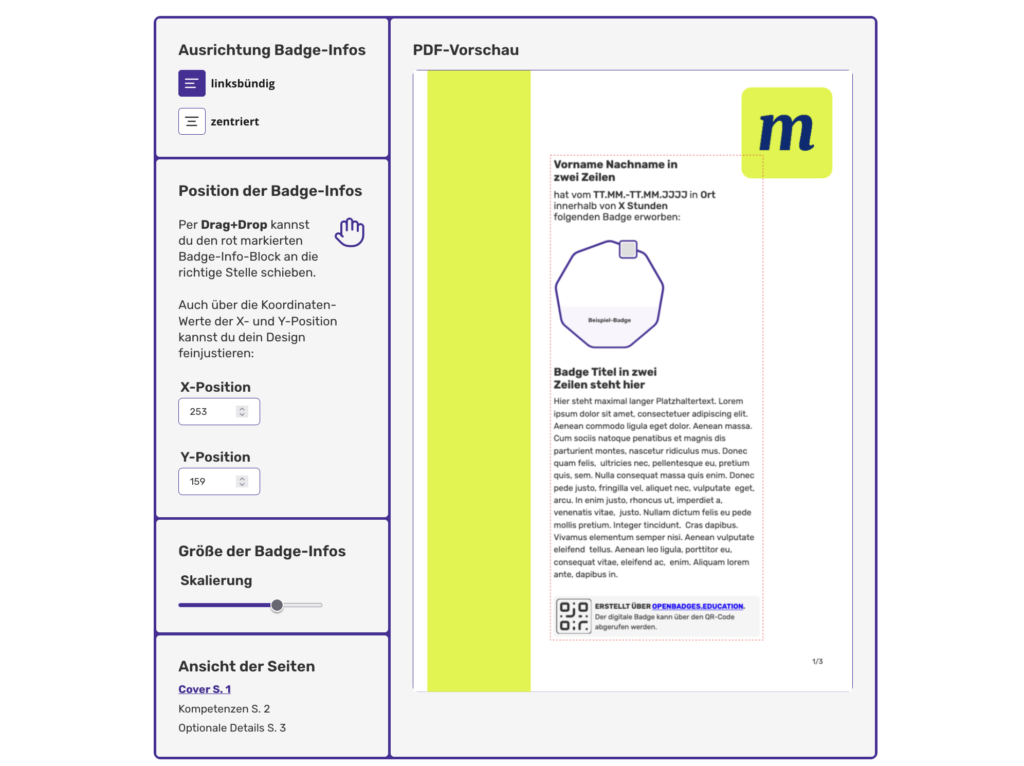
What can you do with the PDF Editor?
With every badge, OEB sends a corresponding PDF certificate to the learners. With the PDF Editor, you can decide exactly how the PDF certificates for your badges look: you can upload your own templates in your own design, which you can then select when issuing badges.
What is the OEB Dashboard?
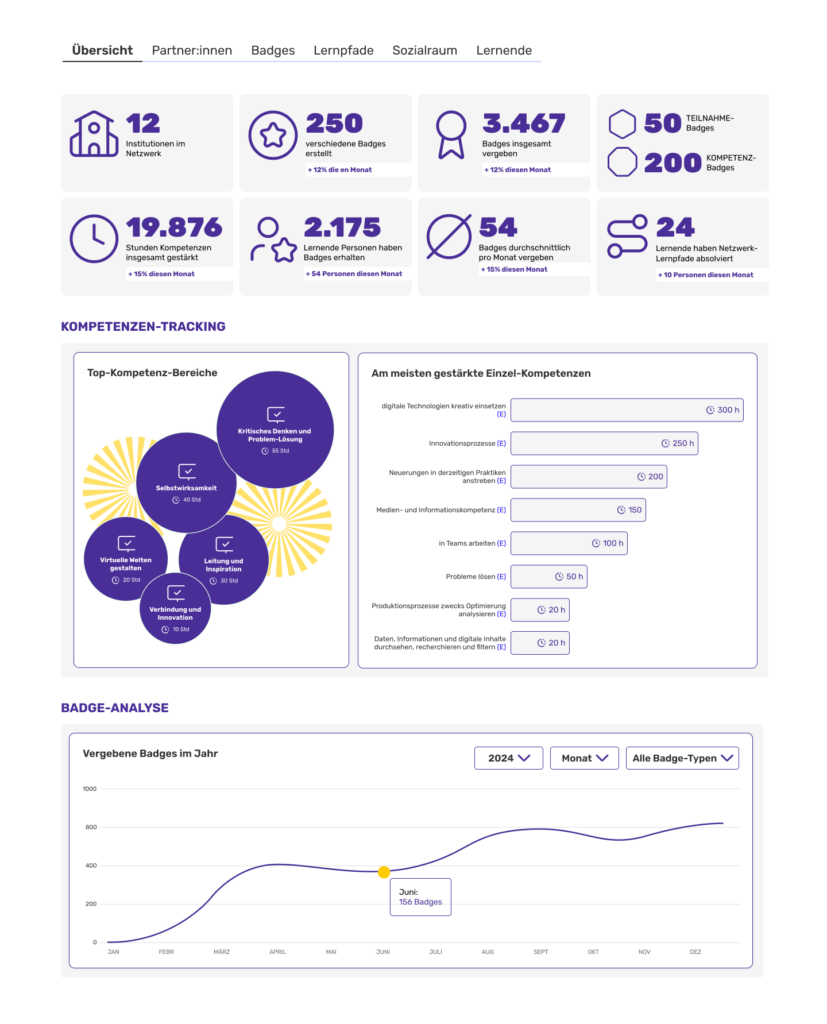
The Impact Dashboard turns badge issuance into real steering and impact management:
- Visible Competency Profiles: See at a glance which competencies are being built through your offerings and how thematic focuses develop over time.
- Data-Driven Steering: Instead of isolated individual records, you receive a visual analysis that makes your successes verifiable and facilitates strategic decisions.
- Zero Extra Effort: The analysis is fully automated. You receive the data for your reporting and quality assurance without investing a single extra minute in documentation.
What does the Network package allow?
The Network function enables several institutions to collaborate with shared badges and a central data dashboard. Further information can be found on our Network page.
What happens if I cancel my current package?ndigung des aktuellen Pakets?
- Retention: Existing badges and issuances remain active and visible. No data is deleted.
- New Actions: Only possible if the quota in the current package is sufficient.
- “Excess” Institution Members: Remain in the system, but roles can no longer be redistributed or new members added.
- Package-Bound Features: Features like the PDF Editor and Dashboard will no longer be available.
- Unused Quotas: Expire at the end of the annual billing period and are not carried over.
Learners: Receiving & Usage
How do learners receive their badges?
Learners receive badges via email as a PNG file including metadata. A corresponding PDF certificate is also attached. Files can be downloaded and stored locally.
Where do learners collect their OEB? What is the Backpack?
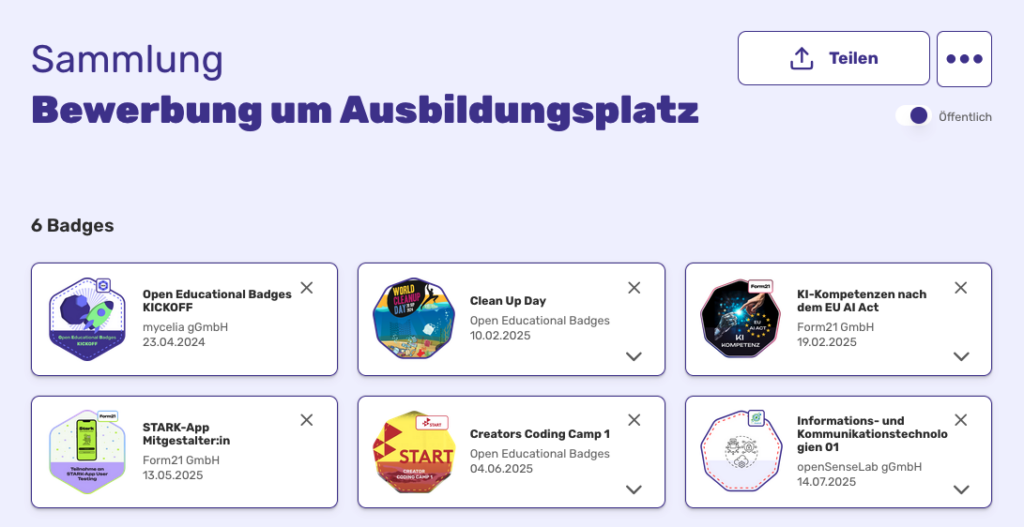
Learners can create an account on the OEB platform and collect all badges in their Backpack (Wallet)—regardless of who issued them. Through the OEB Backpack, they also gain a competency view (see: Competency Profile) and can organize badges into collections for job applications.
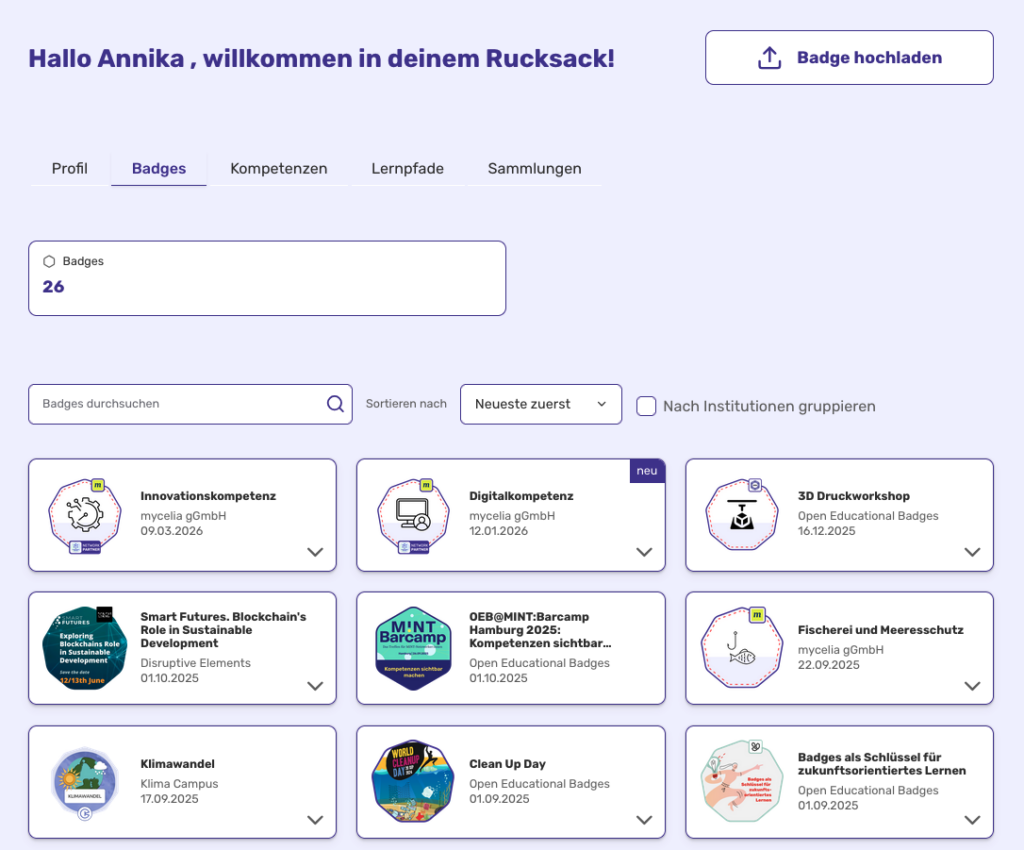
Technically, the badges are stored on the Hetzner server of mycelia gGmbH. As the project expands, we plan to find a location that ensures permanent free access for learners and guarantees secure, long-term storage.
What is the Competency Profile?
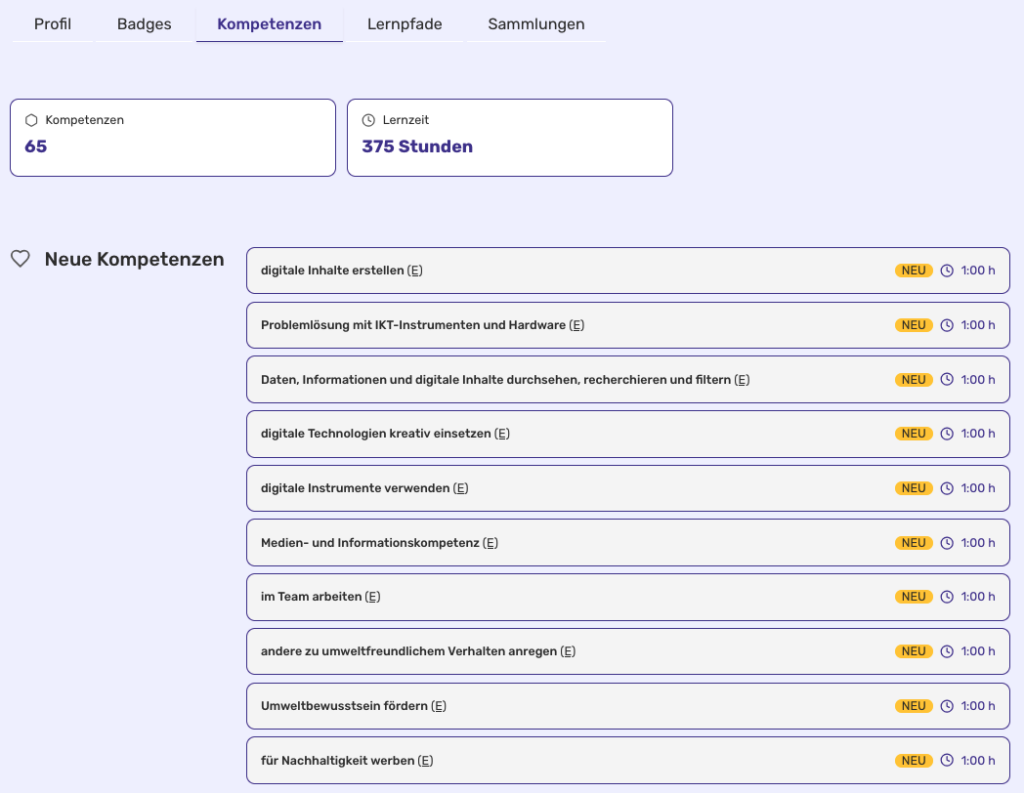
The Competency Profile is the central analysis in the personal OEB Backpack. It aggregates proven competencies across various courses and providers. This is made possible by using the ESCO standard and time as a unit of measurement. The profile visually identifies areas where many competencies have been strengthened, providing a data-based foundation for career orientation or further education planning.
Which badge standards does the OEB Backpack support?
Both 2.0 and 3.0 badges can be imported into the Backpack. 2.0 badges undergo a verification process. We currently offer minimal validation for 3.0 badges (format, file errors, matching email). DID verification is not yet available.
What do learners use OEB for?
Learners get a detailed overview of their individual competency profile. They know their strengths and how to develop them further. They can share badges with employers and on social media. You can also use the backpack feature on OEB to organise your badges into collections for applications.
How can OEBs be shared on LinkedIn?
Learners can share badges on LinkedIn directly from the badge email. To ensure the institution’s logo is displayed, the institution must store its LinkedIn ID on OEB. Instruction: Infographic Badges on LinkedIn
Are OEB portable?
Yes! Because OEB uses the open technical Open Badge Standard, badges can be stored in other wallets worldwide.
Is there a minimum age for using OEB?
There is no minimum age—badges can be collected and issued by everyone. For QR code requests and registration on the OEB platform, users under 16 are asked to confirm that they have the consent of their legal guardians.
Security, Technology & Trust
What technology is behind OEB?
OEB relies on Open Source technology. This open technical allows transparency and for flexible, future-proof development. As a market pioneer, we offer two key unique selling points:
- Unique Standard Combination: We are the only provider that structurally combines the technical Open Badge Standard with the content-related ESCO standard.
- Technological Excellence: OEB was among the first platforms to implement the new Badge Standard 3.0.
Which standard does OEB use (2.0 vs. 3.0)?
Since June 2025, all badges on OEB are created in the future-proof 3.0 standard. This offers higher security and better structuring. All badges created before that comply with the 2.0 standard. We currently use the email address as the identifier for both versions; Decentralized Identifiers (DIDs) are not yet supported. If you need a specific badge in 2.0 format, please contact support@openbadges.education.
Click for Infos on 2.0 or Infos on 3.0.
Who guarantees the quality of the badges and their metadata?
Once an institution registers, it is verified by OEB. However, the responsibility for the correctness and quality of the badges lies with the issuing institution—just as they are responsible for the content of their courses or events.
How is tamper-proofing ensured?
We have built-in verification tools on OEB that can check badges in real-time. OEB can also be verified via any other compatible third-party tool.
How does OEB protect user data?
OEB guarantees the highest security and data protection standards. We operate with a minimum of data: only a first name, last name, and an email address are required to issue badges via the OEB platform. Our detailed Privacy Policy provides comprehensive information on how data is used on the OEB platform.
Since educational providers process data through our platform, this constitutes a Joint Controllership (JC). When an institution (so-called issuer) is created on OEB, the Agreement on joint responsibility takes effect.
Can I connect my own system to OEB?
Yes, OEB features an open interface. Through the OEB API (Application Programming Interface), organizations can access OEB data and functions directly from their own systems. The API is designed for integration, automation, and data exchange. The visualization of this data occurs within the institution’s own system, not through the API itself. However, there is also the option to embed or display certain functions via iFrame through the API, allowing them to be visualized in your system just as they appear on OEB. Detailed information can be found in our API Info Flyer.
How does the plugin work?
Plugins allow institutions to issue badges directly from their own learning environment. OEB has already developed plugins for Moodle and WordPress. We are open to collaborations for developing further integrations.
🔗 PDF-Instructions Moodle Plugin
🔗 Plugin-Docomentation GitHub
Is the OEB platform accessible?
We strive to make the OEB platform as accessible as possible (perceptibility, operability, understandability, and robustness). You can find our accessibility statement here.